> flashcards in your terminal! This script was inspired by a basic script i saw in a youtube video by a user named nixcasts. I Like the Anki flashcard system and so im working to replicate it in a simple manner using plain text documents and a shell script to aid my ability to study with active recall and spaced repetition.
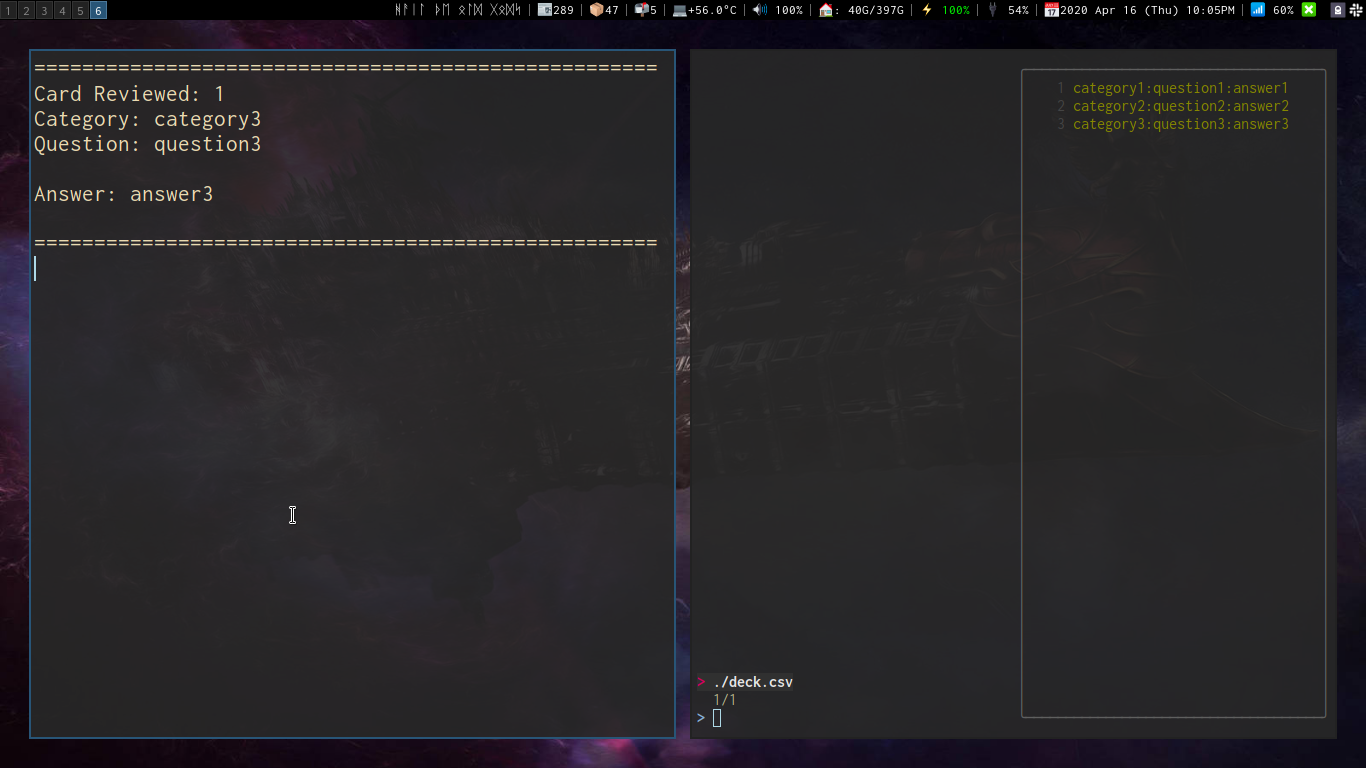
This script is an expanded version of the one featured in [This nixcasts Video](https://www.youtube.com/watch?v=lX8jqo70r1I)
This expanded version will create a `flash` directory in `.local/share/` and create an example `deck.csv` file for you.
You can have as many decks in the `flash` directory as you want, and having directories and nested directories filled with `.csv` decks will all work with this system.
## Dependencies
This script uses:
- [fzf](https://github.com/junegunn/fzf)
- [bat](https://github.com/sharkdp/bat)
Install these prior to running the script.
## Installation
To utilize this script copy/move it to your `~/.local/bin/` folder or any place in your `$PATH`
## Usage
The `deck.csv` file should have colon `:` seperated values in 3 columns
Organized like this:
> `category:question:answer`
## Videos
[Flash Cards In Your Terminal With Flash.sh](https://www.youtube.com/watch?v=KEWhOzDCfLg)
enjoy!


